



In short: Business Verification confirms to Meta that your business is real. You can send on WhatsApp without it, but it’s the fastest way to raise your messaging limit from 250 to 2,000 customers a day, and you need it for the blue verified badge. Most rejections come from small mismatches between the form and your documents.
Check your status
In Meta Business Settings, open Security Center and find the Business Verification card.
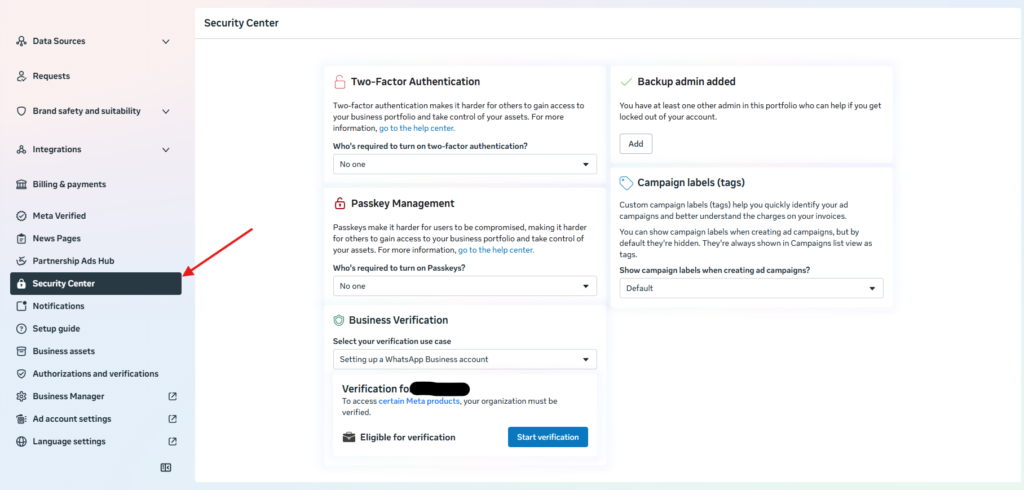
- Not Started: you can begin.
- Pending Review: Meta is reviewing it. This usually takes 1 to 5 business days.
- Verified: done.
Button grayed out? Start connecting your WhatsApp number in Mumble first, fill in the business name, address and phone in Meta, and wait 48 hours if the business portfolio is brand new.
Prepare two documents
- One for the business name: for example, a business registration certificate, certificate of incorporation or VAT certificate. In Israel: Osek Murshe or Osek Patur certificate, or a company certificate.
- One for the address or phone: a utility bill, municipal tax bill or bank confirmation in the business name, up to 90 days old. In Israel, a bank account confirmation with the business address and phone works best.
The name, address and phone must match the form exactly, including “Ltd.” and spelling. “Tel Aviv” and “Tel Aviv-Yafo” count as different. Use clear, uncropped PDF, JPG or PNG files. Hebrew documents don’t need translation.
Verify your business
- In Security Center, click Start Verification.
- Enter the legal business name, full address, business phone and website, exactly as in your documents.
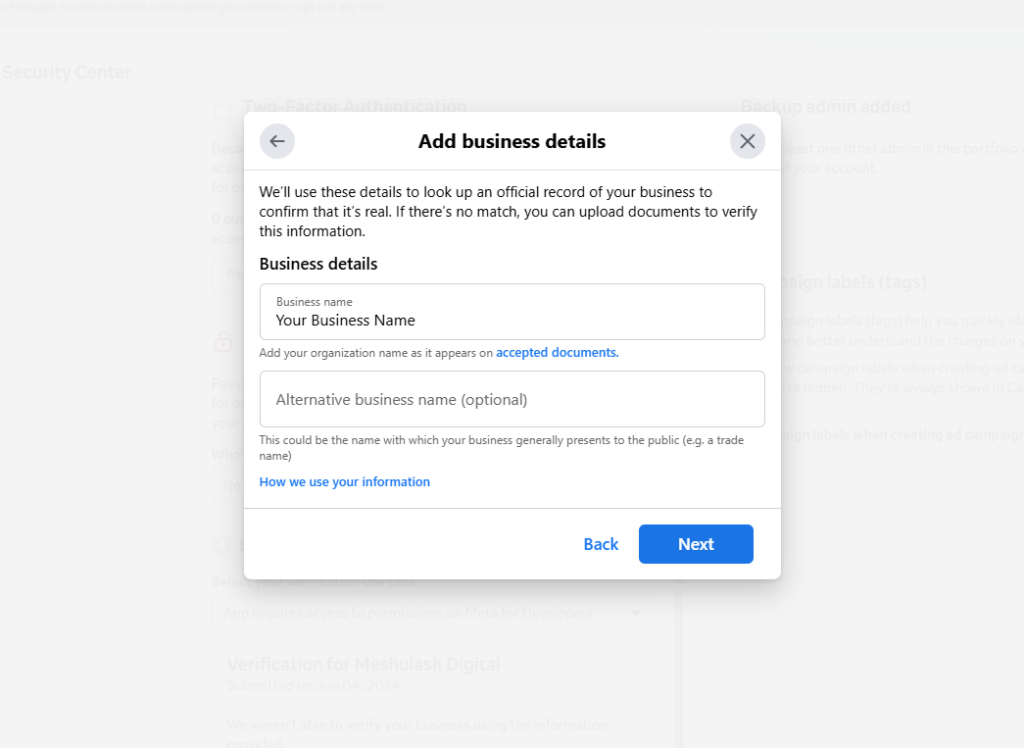
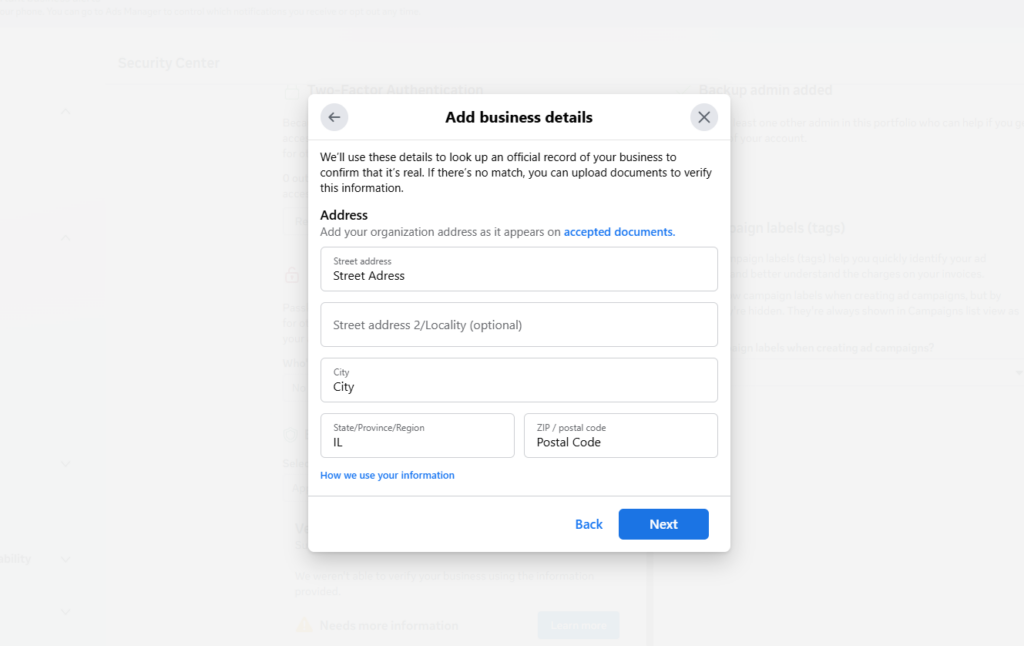
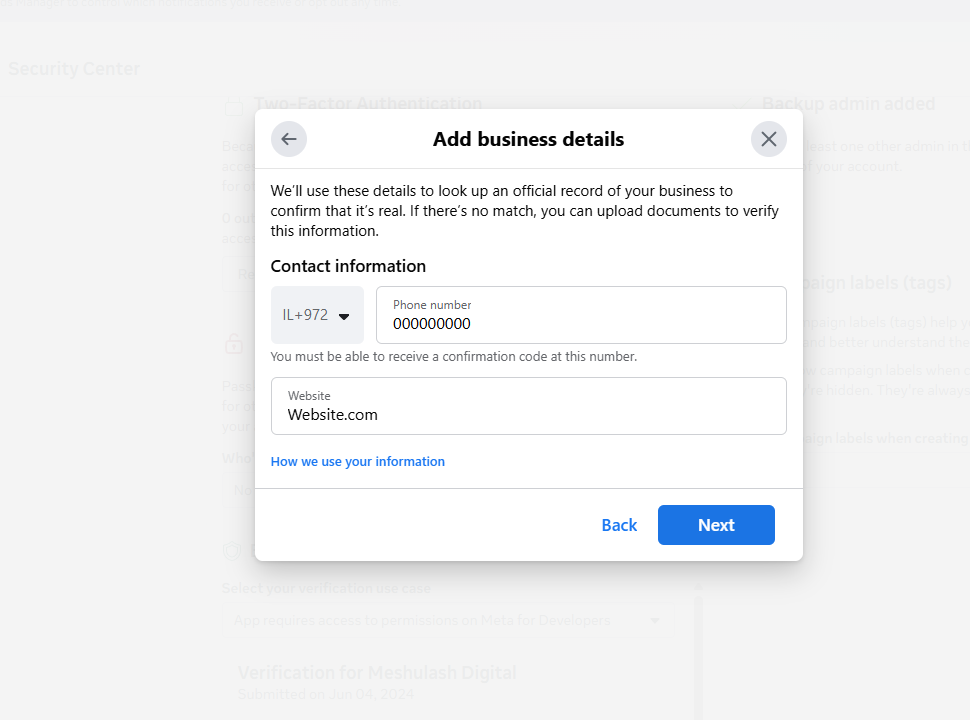
- Upload the two documents.
- Choose how to get a code. Email on your business domain is the most reliable. A personal Gmail won’t work.
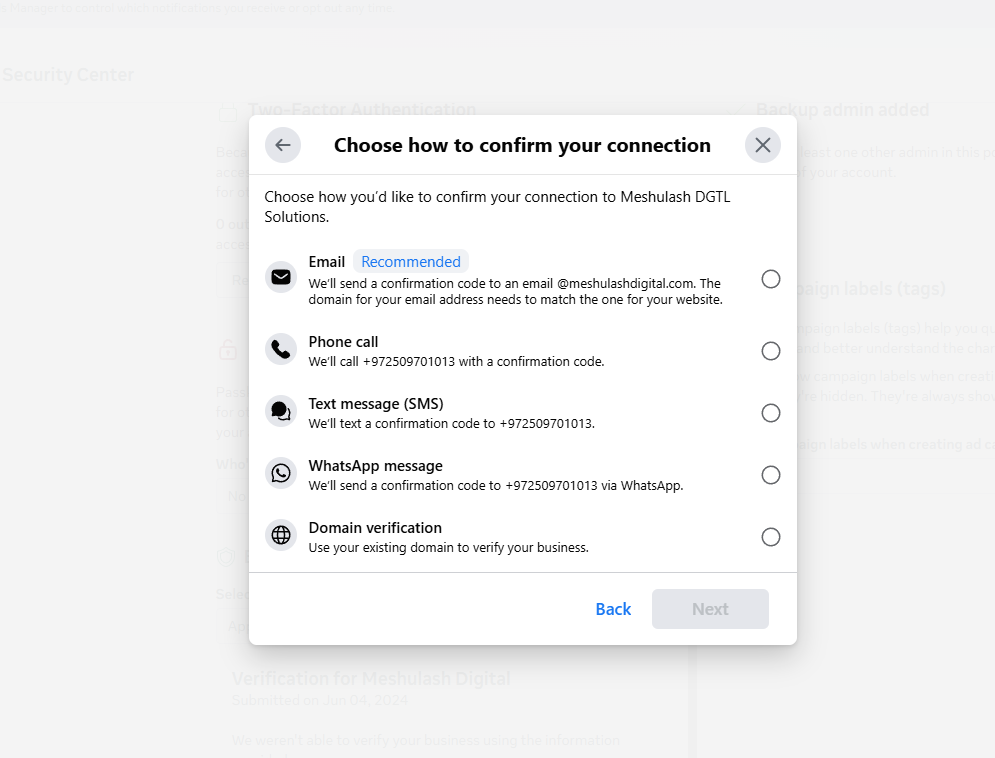
- Enter the code. The status changes to Pending Review.
Common questions
My request was rejected
Fix the specific mismatch (name, address, phone, or an old or blurry document), wait 24 hours and submit again. After two rejections, contact Mumble support with your Business Manager ID.
Where do I find my Business Manager ID?
In Business Settings > Business Info, under the business name. It’s also the number after business_id= in the address bar.
It’s been pending for over 10 days
Wait up to 14 days. After that, contact Mumble support with your Business Manager ID.
I’m verified, but my messaging limit didn’t go up
Meta updates the limit separately and also checks quality. If it’s still 250 a few days later, contact Mumble support. See WhatsApp Messaging Limits.