

Send WhatsApp campaigns to customer lists through the official WhatsApp Business API. Every message is personalized, and after sending you see who received it, read it and clicked.


























How many received it? How many read it? Who clicked the link? Without data, every next campaign is a guess.
The campaign goes out, customers reply, and your team drowns in questions. Some replies never get an answer.
The same text for everyone looks like spam. Customers ignore or block you, and Meta lowers your number's quality rating.
With Mumble, every campaign is personal for each recipient, replies go to a bot or the right team, and every result is measured.
Pick a template, a list or specific customers, and fill the variables from customer data. Each recipient gets a message with their name and the details that matter to them.
Messages with an image, a link and quick reply buttons. After sending, see how many clicked each button and the status of every recipient.
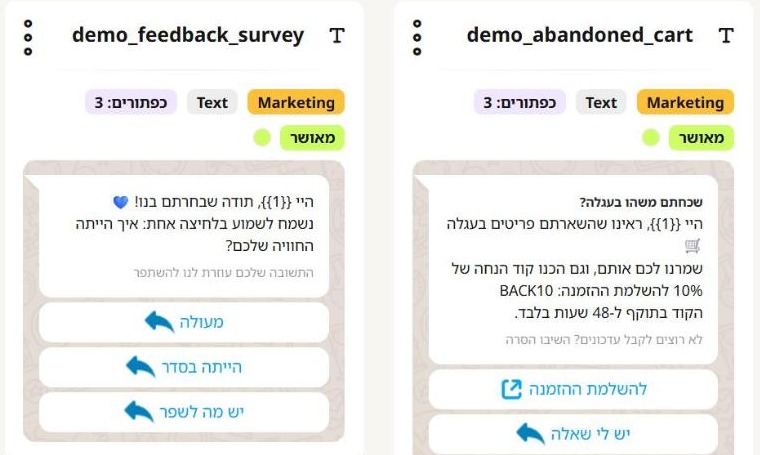
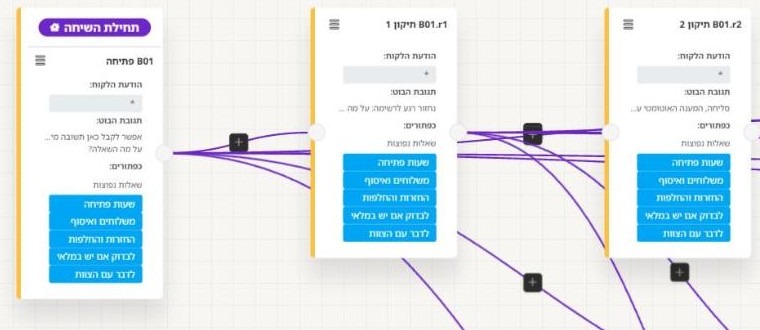
Attach a chatbot to the campaign and it handles everyone who replies: asks questions, collects details and passes only the customers ready to move forward to an agent.
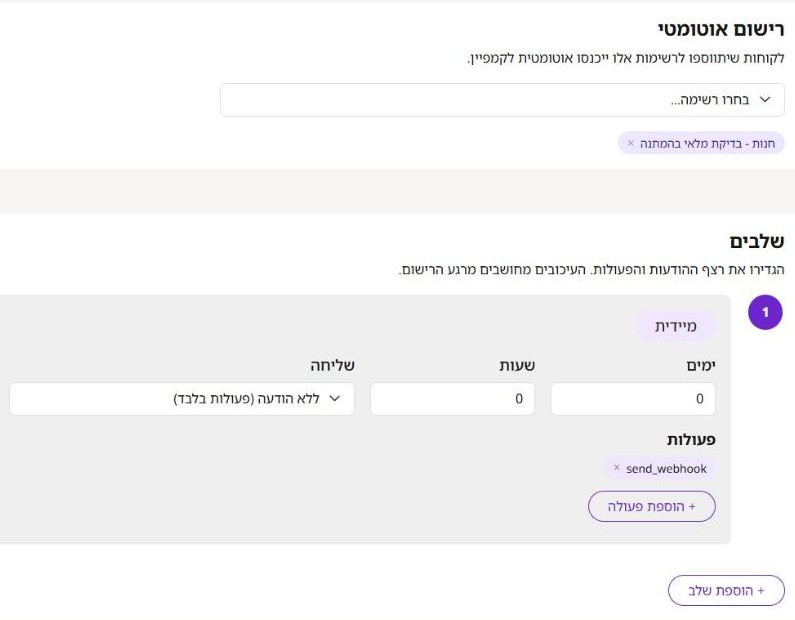
A customer who joins a list starts a message sequence you set in advance: a welcome, a tip a day later, an offer three days later. It all runs on its own.
Dolores learns your business and answers on WhatsApp in natural language, around the clock. She understands voice notes and images, takes actions in your account, and knows exactly when to hand the chat to a person.
A customer sent a voice note or a photo? Dolores gets it and answers to the point.
Add text, links and documents, and she answers from your own information.
Assigns to a team, changes status, adds to a list and sends data to your systems.
When a personal touch is needed, the chat moves to an agent with the full context.
Pick a date and time, and the campaign goes out on its own.
See the hour when the most recipients opened, and time your next campaign around it.
Add to a list, change a status and assign an agent or team at send time.
Split a large list into smaller ones and send gradually, within your daily limit.
Open the conversation with any recipient in the report, right in the shared inbox.
Sending goes through Meta, with templates approved in advance.
Sign up and get a 7-day free trial, no credit card needed.
2 minutesConnect your business number to the official WhatsApp Business API, right inside Mumble.
About 10 minutesInvite your team and start answering customers from the same number.
Right awayWant help with setup? With Mumble 4 U, our team sets everything up with you in a 45-minute call: $70 one-time on monthly plans, free on annual plans.
Plans start from $33.60/month billed yearly. Campaigns, including automated campaigns, are available on Pro and above. Meta message fees are billed separately. Try it free for 7 days.
Only customers who agreed to receive messages from you, for example through a form with explicit consent or after they messaged you on WhatsApp. Lists that were bought or collected without consent put your number at risk with Meta.
A campaign is always sent from a template approved by Meta. Create it in Mumble, submit it for approval, and once it is approved, use it in any campaign.
Meta sets a daily recipient limit for each number, and it rises gradually when your sending quality stays good. Each plan also includes a monthly quota of template messages. You can split a large list and send it over several days.
You can cancel a scheduled campaign up until it sends. To change it, cancel it and create a new one.
7-day free trial, no credit card. Connect your number and get started.