Wix app

WhatsApp for Wix stores

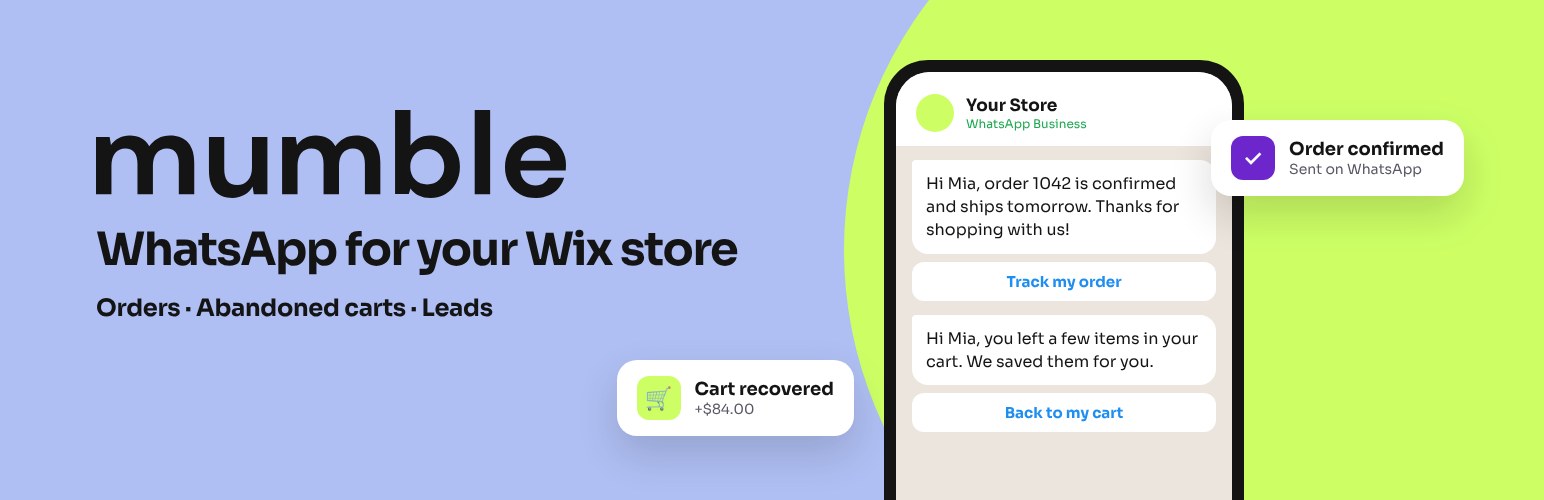
Mumble's official app connects your Wix store to the WhatsApp Business API. Customers get order updates and abandoned cart reminders on WhatsApp, and you see exactly how much revenue came back. No code, and no need to touch the editor.

A Mumble account is required. Messages are sent from your own business number. Interface in English and Hebrew.

Order updates

Customers always know where their order is

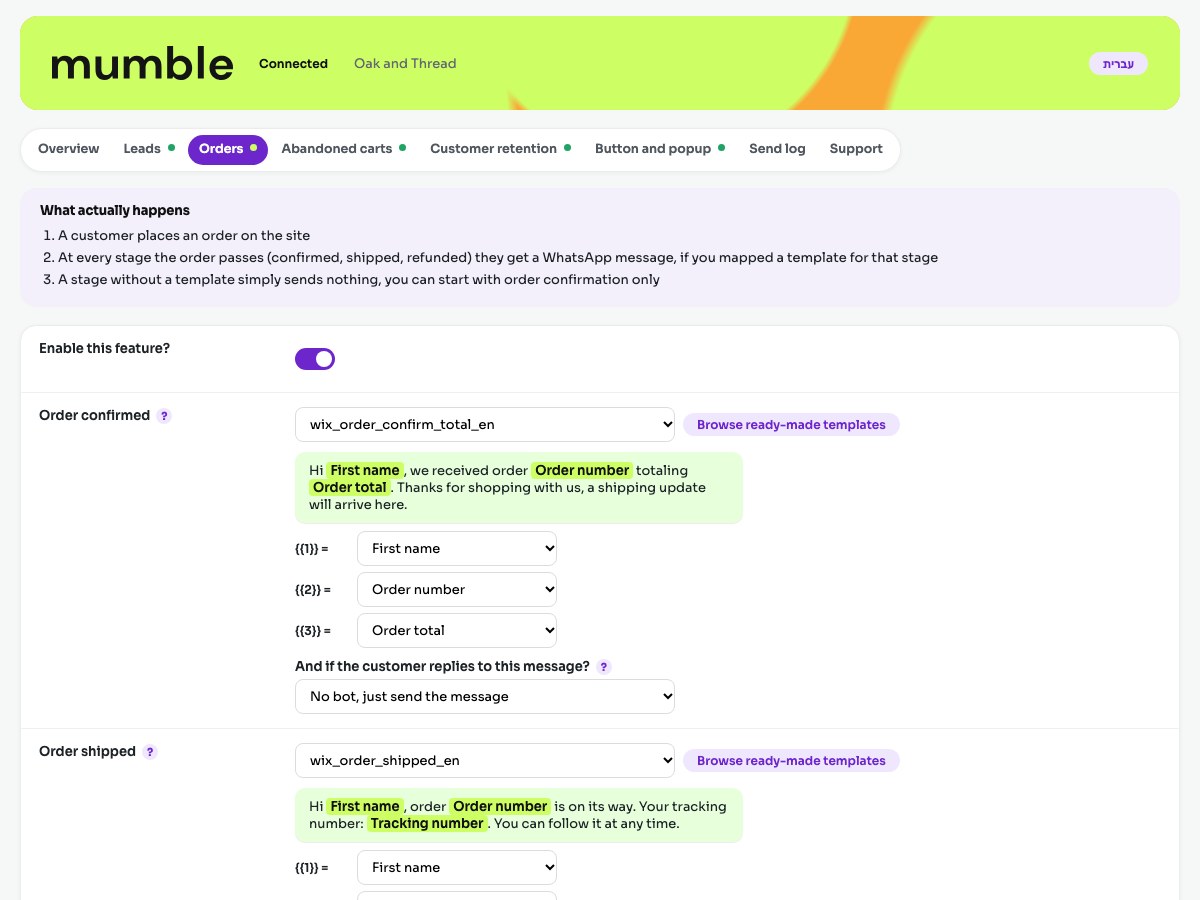
  • A message at every stage: confirmed, shipped, delivered and refunded.
  • Pick a template for each stage, and map variables like first name, order number, total and tracking number.
  • A stage without a template simply sends nothing, so you can start with order confirmation only.
  • When the customer replies, you can start a chatbot or let your team answer.
The orders tab in the app: a template for each order stage
Abandoned carts

Sales that almost got away

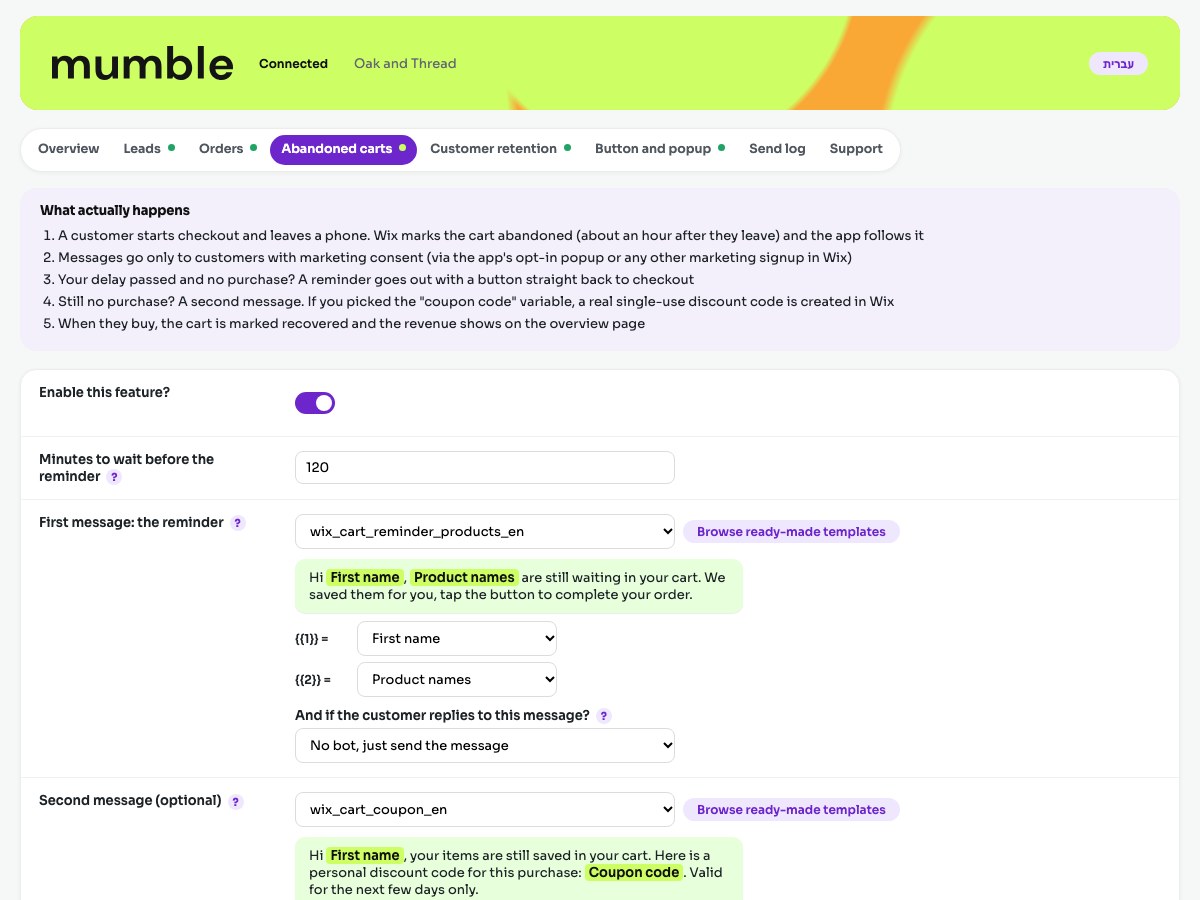
  • Wix marks a cart abandoned about an hour after the customer leaves, and the app follows it.
  • After the delay you choose, a reminder goes out with a button straight back to checkout.
  • Still no purchase? A second message, optionally with a real single-use discount code created in Wix.
  • Sent only to customers with marketing consent, through the app's popup or any other Wix signup.
The abandoned carts tab: delay, first reminder and coupon message

See exactly how much money came back

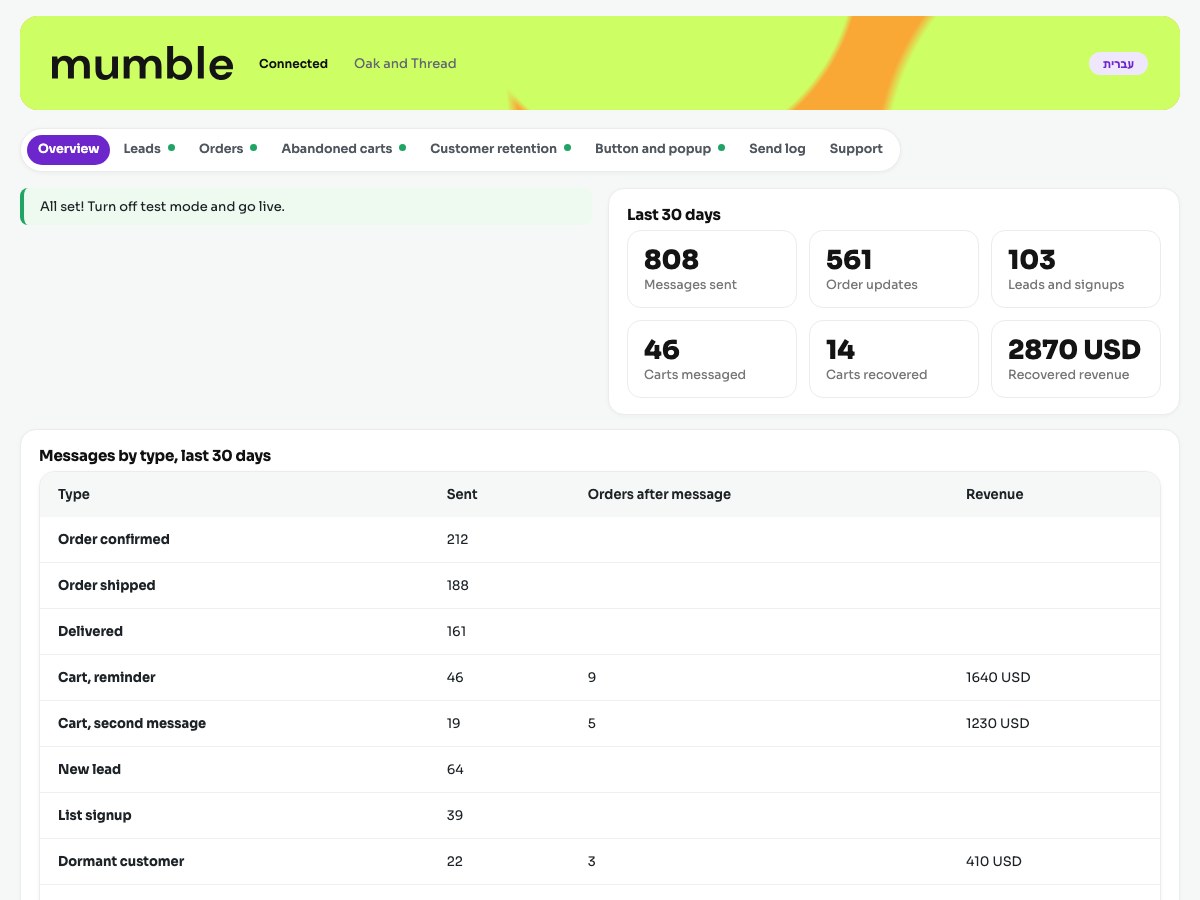
The overview shows the last 30 days: how many messages went out, how many carts got a reminder and how many were recovered, and how much revenue that brought back. For each message type you see how many orders followed it.

The overview screen: messages sent, carts recovered and recovered revenue

Button and popup, no editor needed

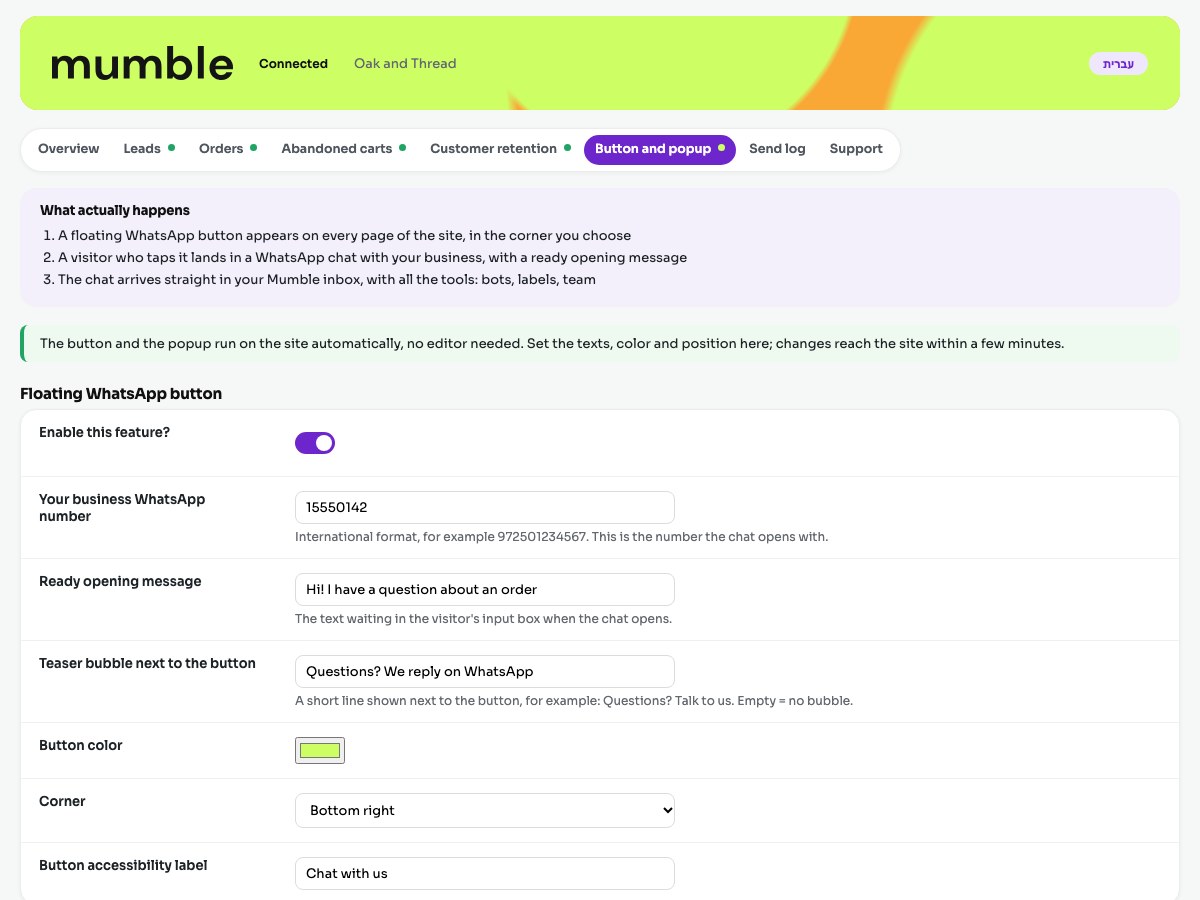
A floating WhatsApp button appears on every page, in the corner and color you choose, with a ready opening message and a small teaser bubble. The chat lands straight in your Mumble inbox. The popup collects WhatsApp marketing consent. It all runs on the site automatically, and changes go live within minutes.

Floating WhatsApp button settings in the app

Also in the app

Leads and signupsAnyone who leaves details or joins a list on your site gets a WhatsApp message right away.
Customer retentionA message to customers who haven't bought in a while, with tracking of the orders that followed.
Ready-made templatesA library of ready wording: pick one, edit it and create it in your account in one click.
Chatbot on replyFor each message, choose whether a Mumble chatbot starts when the customer replies.
Test modeEvery message goes only to you until you turn off test mode and go live.
Send logA list of every message sent, to whom and when.

How to get started

  1. Click "Install the app on Wix" and add the app to your site.
  2. Connect your Mumble account from the app.
  3. In each tab, turn on what you want and pick a template, or create one from the library in one click.
  4. Use test mode to check that the messages reach you.
  5. Turn off test mode and go live.

Requirements

  • A Wix site with a store (Wix Stores).
  • A Mumble account with a connected WhatsApp Business number.
  • Meta-approved templates (you can create them from the app).

Frequently asked questions

Do I need a Mumble account?

Yes. The app connects your store to your Mumble account, which holds your WhatsApp Business number and approved templates.

Why do messages need approved templates?

WhatsApp only lets businesses start a conversation with a template approved by Meta. The app has a library of ready wording: pick one, edit it and create it in your account in one click.

Can I send abandoned cart reminders to every customer?

No. An abandoned cart reminder is a marketing message, and the app sends it only to customers with marketing consent, through its popup or any other Wix signup.

Is the discount code in the second message real?

Yes. If you choose the coupon code variable, a real single-use discount code is created in Wix for each customer.

I have a WooCommerce store. Is this relevant?

WordPress has a separate plugin with similar features.

How much does it cost?

Messages are sent through your Mumble account, based on your plan and Meta message fees. There is a free 7-day trial. See pricing.

Guides and further reading

All your WhatsApp conversations in one place

A shared inbox for your team, campaigns, a chatbot and an AI agent that answers customers.

Try free for 7 days

No credit card needed